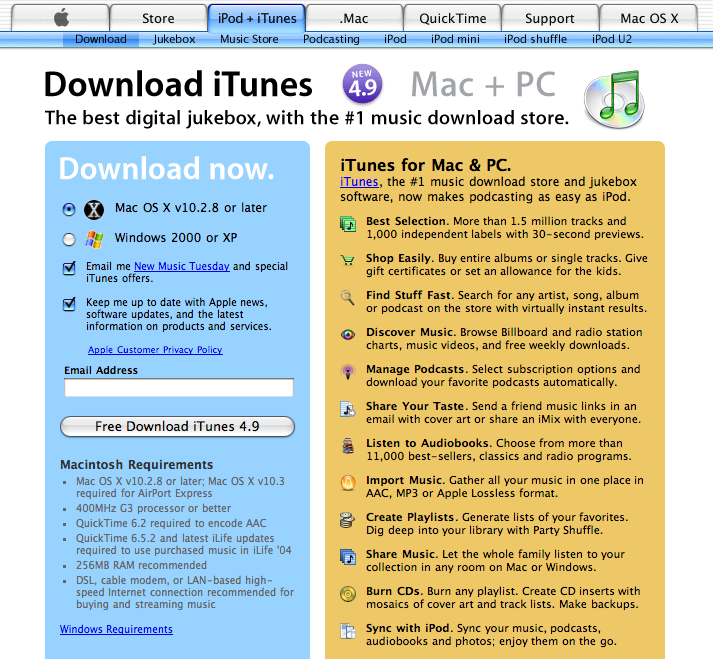
To download the free iTunes 4.9, go to:
http://www.apple.com/itunes/download/
You should see a window like that shown below. Choose your operating system, be sure and UNcheck the boxes that say "please send me spam", then download and install.
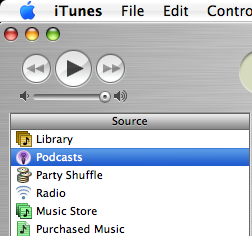
Open iTunes, and on the left side there should be a button called Podcasts - click on it!
This will open a window with nothing in it the first time you use it. Down at the bottom it should say Podcast Directory with an arrow. click on Podcast directory:


this takes you to the Music Store, but don't worry, this doesn't end up costing you a dime, 98% of Podcasts are free (with the notable exception of Rush Limbaugh...)
Now you should see a Search area in the middle on the left:
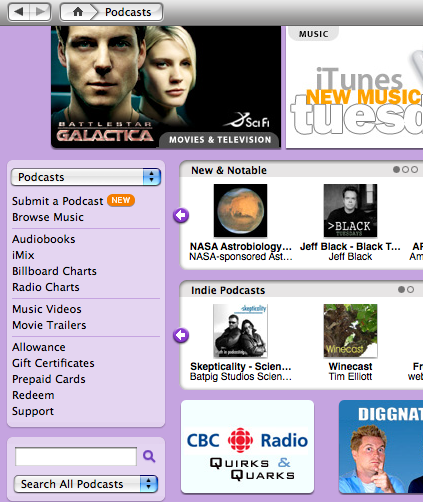

At this point you could subscribe to any of the podcasts on the first page, or ou could browse through the podcasts by genre, or you can search for a specific podcast by entering it in the search window shown above.
I recommend highly that you search on the name "nosilla" which will allow you to subscribe to the NosillaCast. As an illustration, I'll take you a step further so you can see how to subscribe. After you enter nosilla in the search window, click on the magnifying glass or hit a carriage return and you should see a window like this:
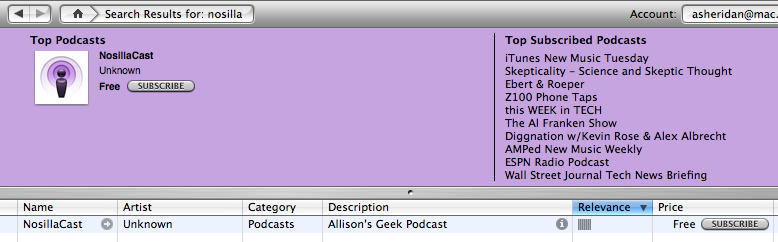

If you click either of the Subscribe buttons it will subscribe you to the NosillaCast. When it first comes into your iTunes library, it will bring the most recent podcast. If you want to get previous episodes, you just click "get" next to the older ones. Every time the podcaster posts a new podcast, it will automatically come into your iTunes library (if you hit "update" in the upper right corner of iTunes) and then if you sync your iPod to iTunes, it will be downloaded to your iPod.